

Introduction
The ScanSnap iX1600 is Fujitsu’s top document scanner, aimed at making it easier for professionals, home users, and small businesses to digitize paperwork. Equipped with intelligent features such as wireless connectivity, a large touch screen, and fast scanning, it offers a high-quality scanning experience with easy usability. Whether handling office tasks or organizing home files, this scanner transforms paper clutter into clear digital files.
The ScanSnap iX1600’s standout feature is its all-in-one functionality, easily managing everything from receipts and business cards to multi-page full-color documents. Its seamless cloud integrations and support for multiple users make it more than just a scanner; it becomes a central tool for those who prioritize speed, organization, and efficient document management.
| Category | Details |
|---|---|
| Keyword | ScanSnap iX1600 |
| Product Type | Duplex Document Scanner |
| Brand | Fujitsu |
| Connectivity | USB, Wi-Fi, Direct Connect |
| Scanning Speed | 40 pages per minute (ppm), duplex |
| Resolution | Up to 600 dpi |
| Supported File Formats | PDF, JPEG, Word, Excel, Searchable PDF |
| Touch Screen | Yes – 4.3-inch color LCD |
| Max Paper Size | Legal (8.5 x 14 in) |
| OS Compatibility | Windows, macOS |
| Cloud Support | Google Drive, Dropbox, OneDrive, Evernote |
| Ideal Use Case | Offices, Remote Workers, Document Archiving |
ScanSnap iX1600, A Smart Scanning Solution
The ScanSnap iX1600 isn’t just a faster scanner—it’s more intelligent. Its customizable touch screen enables users to set up specific scanning profiles for various tasks: saving directly to folders, emailing files, uploading to cloud services, or scanning to mobile devices. This feature makes it perfect for households with multiple users or small teams, each with different workflow requirements.
The scanner features AI-powered paper feeding that helps prevent jams and identifies document types for accurate file naming and sorting. These capabilities aim to reduce manual effort and boost efficiency.
Setup & Connectivity Options
- Quick Wi-Fi setup via QR code
- Supports USB for offline use
- Direct Connect mode for mobile devices
- Works with ScanSnap Home software on PC/Mac
You can position the ScanSnap iX1600 anywhere in your home or office—there’s no requirement to stay connected to your desktop.
Performance and Speed Analysis

Equipped with a 50-sheet automatic document feeder (ADF), the ScanSnap iX1600 is designed for high-volume tasks. It can scan up to 40 pages per minute with double-sided scanning, allowing you to digitize an entire stack of documents within minutes.
The scanner consistently delivers clear scans even with glossy papers, receipts, or folded documents. Fujitsu’s integrated image correction feature automatically corrects skewed pages, performs auto-rotation, and removes blank pages to improve the quality of scanned content.
Touchscreen Interface and Custom Profiles
A notable feature is the 4.3-inch color touchscreen, which allows you to:
- Add up to 30 user profiles
- Assign tasks with custom icons
- View status and preview scans
- Set destinations like Dropbox or email
The iX1600 is particularly beneficial in shared settings like offices or libraries where users require various scanning configurations.
ScanSnap Home Software Features
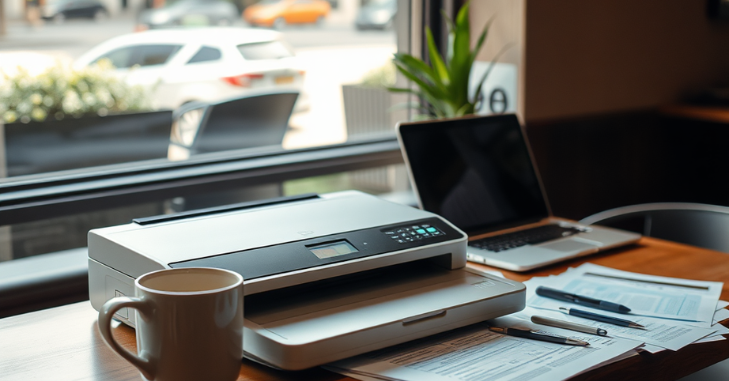
- OCR (Optical Character Recognition) to create searchable PDFs
- Auto file sorting by date, type, and user
- Document tagging and labeling
- Integration with Microsoft Office formats
It’s an innovative system that learns from your file sorting and naming habits, making future organization easier.
Maintenance and Durability
Despite its compact size, the iX1600 is designed for frequent use. Fujitsu advises replacing the pick roller and brake roller after every 200,000 sheets to ensure peak performance.
Basic care tips include:
- Clean glass regularly with a microfiber cloth
- Avoid scanning crumpled or dirty paper
- Use the maintenance notification system built into the software
These basic habits help keep the scanner functioning like new for years.
Use Cases: Who Is It Best For?
Whether you’re working from a home office, handling legal documents, or digitizing historical records, iX1600 adjusts to your needs.
Best suited for:
- Remote workers need cloud integration
- Accountants scanning tax forms
- Teachers are organizing the class material
- Legal professionals handling case files
- Home users archiving old family photos and letters
Its versatility makes it suitable for almost any scanning situation.
ScanSnap vs. Competitors
| Feature | iX1600 | Brother ADS-2800W | Epson ES-500W II |
|---|---|---|---|
| Speed (ppm) | 40 | 30 | 35 |
| Touchscreen | Yes | No | No |
| Wireless Setup | Easy QR Code | Yes | Yes |
| Software | Scan Snap Home | iPrint &Scan | Epson Scan Smart |
| Price Range | $$$ | $$ | $$ |
Although many scanners have similar performance, only the iX1600 provides a user-friendly touchscreen and extensive customization options.
Environmental Impact and Paper Reduction
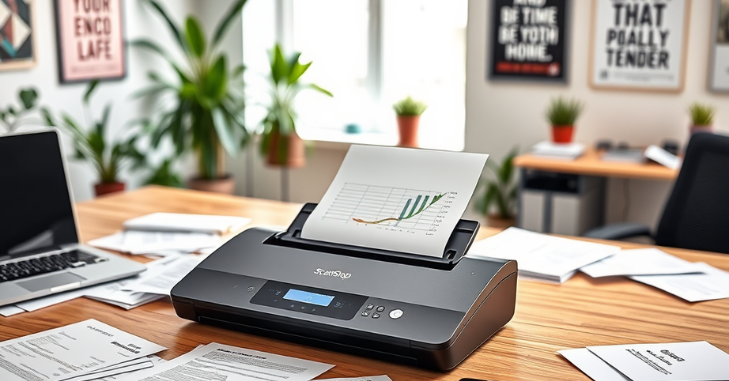
The iX1600 quietly supports eco-friendly office habits. It digitizes documents, cutting down on physical storage, printing, and paper waste. Small businesses and remote workers can nearly eliminate paper use, reducing their environmental impact and saving costs.
Fujitsu also equips its scanners with energy-efficient features like automatic sleep mode and low power use when idle. These small but significant details help create greener, smarter work environments.
Mobile Scanning on the Go
You don’t need to be close to your computer to operate the iX1600. It features built-in Wi-Fi and works with ScanSnap’s mobile app, allowing users to scan directly to their phones or tablets. This is particularly helpful for remote workers, traveling professionals, or teachers scanning assignments from different locations.
The mobile integration works with both Android and iOS devices, providing flexibility regardless of your device. Whether you need to scan a receipt quickly or review a full-page contract, everything can be accessed from any location.
Top 3 Reasons to Choose the iX1600
- User-Friendly Touchscreen: Easily create profiles, scan to cloud, and track documents with a few taps.
- Reliable Duplex Speed: Scans both sides of the page at 40 ppm without paper jams or feed issues.
- Seamless Cloud Integration: Compatible with Google Drive, Dropbox, Evernote, and OneDrive.
Conclusion
In a world where paper clutter can reduce productivity, the iX1600 offers a robust and practical solution. Its quick scanning speed, user-friendly touchscreen, and compatibility with various devices and cloud platforms make converting physical documents into organized digital files straightforward.
The ScanSnap iX1600 provides reliable performance, user-friendly operation, and consistent results whether used at home or in the office. Its intelligent features and versatile setup make it an essential device for anyone aiming to stay organized in today’s digital-driven environment.
Want to know about “How to Transfer PS4 Data to PS5? Step-by-Step Methods for Moving Games, Saves, Profiles, and More Seamlessly” Check out our “Tech” category.
FAQs
I heartily recommend the Fujitsu ScanSnap iX 1600 if your job or small business demands high-quality, fast, and easy scanning.
In Japan, PFU LIMITED is the registered trademark owner of ScanSnap.
You may download ScanSnap Home for free. ScanSnap Home can be downloaded here.
This is among our top choices for high-speed scanning.

